From a PEM file to a Java keystore: what's inside, and what Java 28 adds
A PEM file looks simple until you have to load its private key in Java. This post looks inside the file, shows what an application does with the plain JDK, and tests the new PEM API that JEP 542 brings in Java 28.
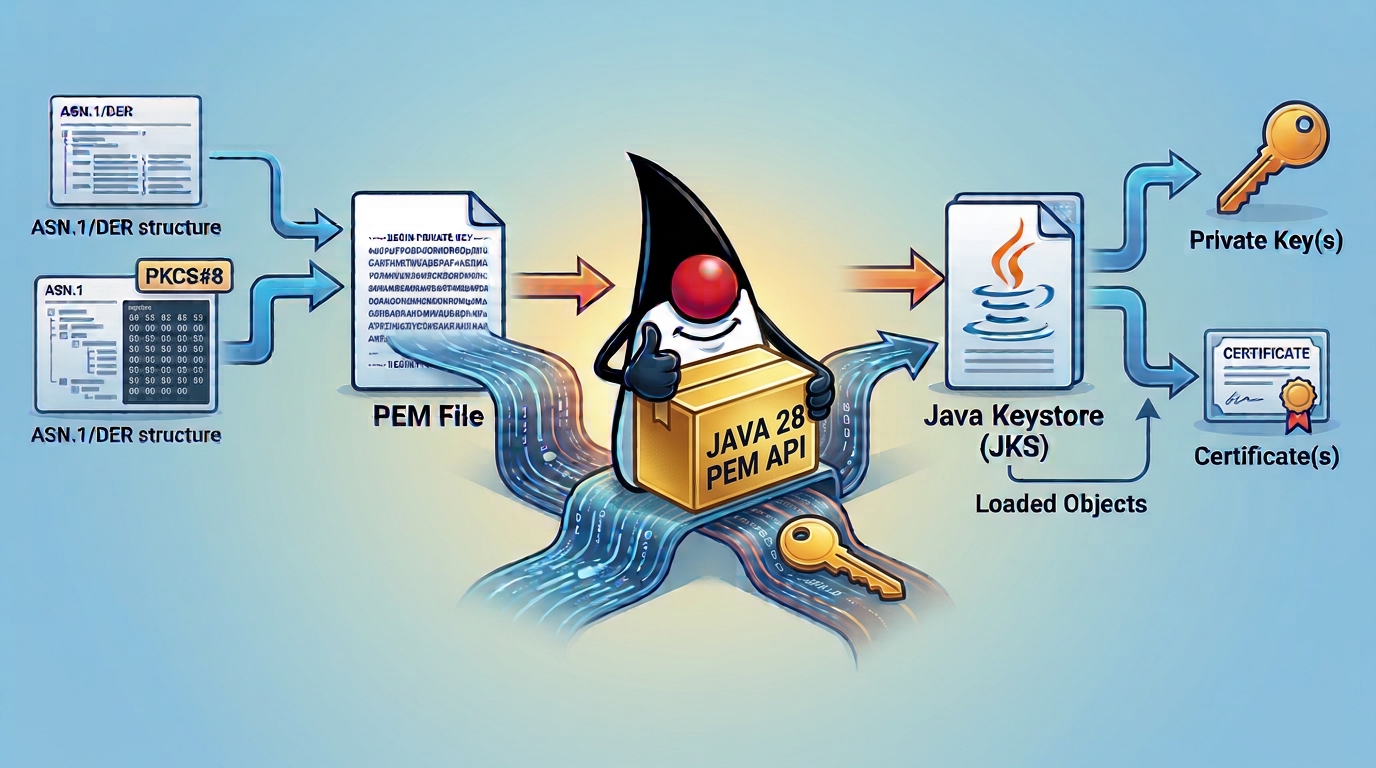
You have a certificate and its private key, as two .pem files.
You want a Java TLS server to use them, and the usual way is to put both in a PKCS12 keystore.
How hard can it be?
The questions start immediately. The private key inside a PEM file can be stored in different formats. Which ones do I accept: PKCS#1, SEC1, PKCS#8? Do I detect the format and the algorithm by reading the structure, or by trying each one and catching the exception? What happens when ML-DSA arrives next to RSA and EC?
The JDK’s keytool doesn’t help here, because it cannot import a private key from a PEM file.
The usual answer is to convert the PEM files into a single PKCS12 keystore with openssl pkcs12 -export, which Java can then load.
That works for a one-off setup, but an application that receives PEM files at runtime cannot shell out to openssl.
So many Java applications and libraries end up with their own small PEM parser.
That is a reasonable thing to do. PEM comes from outside the Java platform, and it sits between the formats people actually have and the standard encodings the JDK works with. It is a common enough need to deserve a shared, standard answer, and Java 28 brings one with JEP 542.
In this post we’ll look inside a PEM file, see why the header on the first line changes so much, load the keys with the plain JDK, and then do the same with the new API. All the outputs below are real: I used OpenSSL 3.5.9, Java 21 for the “before” code, and an early-access build of JDK 28 for the “after” code.
From key to text: ASN.1, DER and PEM
A private key in a PEM file goes through three layers, and the names that come up around it (PKCS#1, SEC1, PKCS#8, DER, PEM) belong to different ones. Here they are, from the key itself to the text in the file:
- PKCS#1, PKCS#8 and SEC1 define the ASN.1 structure that represents a key. PKCS#1 is for RSA keys, SEC1 is for EC keys, and PKCS#8 is a generic container for any algorithm.
- DER is the binary encoding of that structure.
- PEM is the DER bytes as Base64 text, with a header and a footer.
PEM is not another key structure. It is a text wrapper around the DER bytes.
Algorithm and key material
        ↓
ASN.1 structure (PKCS#1, SEC1 or PKCS#8)
        ↓
DER binary encoding
        ↓
-----BEGIN <label>-----
Base64-encoded DER bytes (PEM text)
-----END <label>-----
ASN.1 describes the structure, and DER is the canonical way to write it as bytes.
Every DER element is a tag, a length and a value, and the value can contain other elements.
The tag tells you the type of the value.
The ones you will see in a private key are SEQUENCE (a list of other elements), INTEGER (a number), OCTET STRING (a block of bytes) and OBJECT IDENTIFIER (an OID, which names an algorithm or a curve).
PEM (RFC 7468) was designed for e-mail, where binary data was a problem.
The label after BEGIN tells you which structure is inside.
That label is the only hint you get, and it matters a lot for private keys.
All of this stays abstract until you look at a real file.
openssl asn1parse is the tool for that: it reads a PEM file (or a DER file), removes the Base64 and prints the ASN.1 structure inside, one element per line.
Its purpose here is to show that a PEM key is just a tree of typed values, and that the only thing telling you which tree it is, is the label on the first line.
Here is a 2048-bit RSA key in PKCS#1 format (-----BEGIN RSA PRIVATE KEY-----), generated with OpenSSL (the long numbers are shortened):
$ openssl asn1parse -in rsa-pkcs1.pem
    0:d=0  hl=4 l=1186 cons: SEQUENCE
    4:d=1  hl=2 l=   1 prim: INTEGER           :00
    7:d=1  hl=4 l= 257 prim: INTEGER           :A8FABCAA...0957FF7
  268:d=1  hl=2 l=   3 prim: INTEGER           :010001
  273:d=1  hl=4 l= 256 prim: INTEGER           :224C323B...ECB01
  533:d=1  hl=3 l= 129 prim: INTEGER           :EB139B45...C48C1
  665:d=1  hl=3 l= 129 prim: INTEGER           :B8050EE6...19FEB7
  797:d=1  hl=3 l= 128 prim: INTEGER           :0AF62F17...37401
  928:d=1  hl=3 l= 128 prim: INTEGER           :523E207C...AD3835D
 1059:d=1  hl=3 l= 128 prim: INTEGER           :1B19B982...B6BFC
Each line is one element of the structure, and the indentation level (d=) shows which elements are inside which.
Here they are all at d=1, directly inside the outer SEQUENCE (at d=0).
PKCS#1 (RFC 8017, appendix A.1.2) defines this structure and calls it RSAPrivateKey: a SEQUENCE of nine INTEGERs in a fixed order.
Read that way, the elements are:
- The outer
SEQUENCEis the key itself, and everything else is inside it. - The first
INTEGER,00, is the version of the structure. - The 257-byte
INTEGERis the modulusn, the product of two large primes (the extra byte is a leading zero that keeps the number positive). - The
INTEGER010001is the public exponente, which is 65537. - The 256-byte
INTEGERis the private exponentd, which is the actual secret. - The next two
INTEGERs are the primespandqthat make upn. - The last three
INTEGERs are the CRT valuesdp,dqandqinv, precomputed to speed up private-key operations.
Note that n and e together are the RSA public key.
So a PKCS#1 private key file already contains the public key, stored as these two values.
Notice that nothing in the data says “this is an RSA key”: it is only a list of integers. The file is recognised as an RSA key because of its label, and that is why the label matters so much in the next sections.
Certificates and public keys: the easy part
Before the private keys, let’s look at what already works well.
The certificate is the .pem file you get back from a certificate authority (CA) after you ask it to sign your public key, or the one you create yourself with openssl req -x509 for a test.
Inside, it is a CERTIFICATE block, which is an X.509 certificate, and the JDK reads it directly, PEM header and footer included:
CertificateFactory cf = CertificateFactory.getInstance("X.509");
try (var in = Files.newInputStream(Path.of("rsa.crt"))) {
    Certificate cert = cf.generateCertificate(in);
    System.out.println(cert.getPublicKey().getAlgorithm());  // RSA
}
I checked this on Java 21 with RSA and EC P-256 certificates, and getPublicKey().getAlgorithm() returned RSA and EC without the code ever choosing one.
For a file with a whole chain, which is how a CA usually ships them, generateCertificates (plural) reads all of them.
That is the point: a certificate is self-contained. It carries its own public key and algorithm, so the caller never has to know what is inside.
A public key can also come on its own, without a certificate, for example when it is extracted from a private key with openssl pkey -pubout.
Its label is PUBLIC KEY, and inside is an ASN.1 structure called SubjectPublicKeyInfo, defined in the X.509 standard.
It holds the algorithm identifier followed by the key itself.
This one needs an extra step.
CertificateFactory rejects it because it is not a certificate, and X509EncodedKeySpec (the JDK class for this structure) wants DER bytes, not PEM text.
So you strip the header, Base64-decode, and pick the right KeyFactory: using RSA on an EC key throws InvalidKeySpecException.
There is also an RSA PUBLIC KEY label, the older PKCS#1 form for RSA only, which we’ll leave aside.
Private keys have no equivalent of CertificateFactory up to Java 27.
And a private key can come in three layouts, so both the label and the algorithm matter.
Private keys: PKCS#1, SEC1 and PKCS#8
The traditional, algorithm-specific formats
Two formats were designed for one algorithm each:
| Algorithm | Spec | PEM label | Contains |
|---|---|---|---|
| RSA | PKCS#1 (RFC 8017) RSAPrivateKey | RSA PRIVATE KEY | version, n, e, d, p, q, CRT exponents and coefficient |
| EC | SEC1 (RFC 5915) ECPrivateKey | EC PRIVATE KEY | version, private value, optional curve parameters, optional public key |
Note that PKCS#1 is RSA only, and EC has no PKCS#1. The traditional EC format is SEC1.
In both cases the algorithm is implied by the label. The DER itself never says “this is RSA”. For EC, the curve may be inside the structure or not, depending on the tool that wrote the file.
PKCS#8: the generic container
PKCS#8 (RFC 5208, updated by RFC 5958) doesn’t define the maths of one algorithm.
It defines a container, PrivateKeyInfo:
PrivateKeyInfo
├── version
├── privateKeyAlgorithm
│   └── algorithm identifier (OID and, where applicable, parameters)
└── privateKey
    └── algorithm-specific private-key encoding
The algorithm identifier privateKeyAlgorithm tells the parser what is inside, and privateKey carries the encoding defined for that algorithm.
The label PRIVATE KEY says “this is PKCS#8”.
It does not say which algorithm.
For that you have to look inside.
There is also ENCRYPTED PRIVATE KEY, which is the encrypted PKCS#8 variant (EncryptedPrivateKeyInfo).
The same key, two wrappers
An RSA key can be a bare PKCS#1 structure, or the same structure wrapped in PKCS#8. The key material is identical, only the outer ASN.1 differs.
RSA PRIVATE KEY (PKCS#1)         PRIVATE KEY (PKCS#8)

RSAPrivateKey                    PrivateKeyInfo
├── version                      ├── version
├── n, e, d                      ├── algorithm = rsaEncryption
├── p, q                         └── privateKey
└── dp, dq, qinv                     └── RSAPrivateKey (the PKCS#1 structure)
The same goes for EC, where PrivateKeyInfo wraps an ECPrivateKey and the algorithm identifier carries the curve.
I generated the same RSA key in both forms. You already saw the PKCS#1 one at the beginning, so here is the PKCS#8 version of it:
$ openssl asn1parse -in rsa-pkcs8.pem
    0:d=0  hl=4 l=1212 cons: SEQUENCE
    4:d=1  hl=2 l=   1 prim: INTEGER           :00
    7:d=1  hl=2 l=  13 cons: SEQUENCE
    9:d=2  hl=2 l=   9 prim: OBJECT            :rsaEncryption
   20:d=2  hl=2 l=   0 prim: NULL
   22:d=1  hl=4 l=1190 prim: OCTET STRING      [HEX DUMP]:308204A20201000282010100A8FABCAA...
Look at the sizes.
The PKCS#8 wrapper adds 26 bytes (1212 against 1186), and the OCTET STRING at the end holds the whole PKCS#1 structure: its 308204A2 020100 02820101 00A8FABCAA... start is the same SEQUENCE (length 0x04A2 = 1186), version 0 and modulus we saw above.
A cheat sheet
We now have all the pieces, so here is a summary to keep at hand. When you open a PEM file, the first line is what tells you which structure you are dealing with, and these are the labels you will meet most often:
| PEM label | What it is |
|---|---|
BEGIN RSA PRIVATE KEY | Traditional RSA private key, PKCS#1 |
BEGIN EC PRIVATE KEY | Traditional EC private key, SEC1 |
BEGIN PRIVATE KEY | Unencrypted PKCS#8 container, any algorithm |
BEGIN ENCRYPTED PRIVATE KEY | Encrypted PKCS#8 container, any algorithm |
BEGIN RSA PUBLIC KEY | RSA-specific public key, PKCS#1 |
BEGIN PUBLIC KEY | X.509, any algorithm |
The second table puts the three private-key formats side by side, showing what each one can carry and where the algorithm comes from:
| Property | PKCS#1 | SEC1 | PKCS#8 |
|---|---|---|---|
| Kind | RSA specific | EC specific | Generic container |
| Can carry an RSA key | Yes | No | Yes |
| Can carry an EC key | No | Yes | Yes |
| Algorithm identifier inside | No, RSA is implicit | No, EC is implicit | Yes |
| Typical PEM label | RSA PRIVATE KEY | EC PRIVATE KEY | PRIVATE KEY |
To recognise a file, read the label first.
When there is no label, openssl asn1parse tells you what the outermost structure is.
Keep one caveat in mind: the header is a clue, but the parser must still validate the actual data.
PKCS#8 and post-quantum keys
ML-DSA and ML-KEM don’t need a new container or a new PEM label.
PKCS#8 carries them, and the algorithm identifier names the parameter set.
A post-quantum private key is therefore still a -----BEGIN PRIVATE KEY----- block.
PKCS#8 defines the outer container, not the internal layout of each algorithm’s key, so support depends on the JDK and the provider.
A key made with openssl genpkey -algorithm ML-DSA-65 loaded on the JDK 28 early-access build, and I’ll show it in the results.
If you want the TLS side of the post-quantum story, I covered it in Post-Quantum TLS made easy in Java.
Who produces what
Both the traditional layouts (PKCS#1 and SEC1) and PKCS#8 are still in the wild, because of years of tooling and copy-pasted openssl commands.
With OpenSSL 3.5.9, this is what each command writes:
| Command | Output label |
|---|---|
openssl genpkey -algorithm RSA | PRIVATE KEY (PKCS#8) |
openssl genrsa | PRIVATE KEY (PKCS#8) |
openssl genpkey -algorithm EC ... | PRIVATE KEY (PKCS#8) |
openssl ecparam -name prime256v1 -genkey -noout | EC PRIVATE KEY (SEC1) |
openssl rsa -in key.pem -traditional | RSA PRIVATE KEY (PKCS#1) |
openssl ec -in key.pem | EC PRIVATE KEY (SEC1) |
OpenSSL 1.x used to write PKCS#1 from genrsa, so older guides and scripts still produce the traditional label.
Other tools also let you choose: ssh-keygen -m PEM and the encoding option of cert-manager’s private key settings are two examples.
Why the format matters to a Java application
The problem is the format, not the algorithm.
A library can support RSA and still reject a PKCS#1 key, because PKCS8EncodedKeySpec expects PKCS#8 bytes.
Let’s see it.
I took the Base64 body of an RSA PKCS#1 key, decoded it, and gave it to an RSA KeyFactory:
Exception in thread "main" java.security.spec.InvalidKeySpecException:
        java.security.InvalidKeyException: Unable to decode key
    at java.base/sun.security.rsa.RSAKeyFactory.engineGeneratePrivate(RSAKeyFactory.java:253)
    at java.base/java.security.KeyFactory.generatePrivate(KeyFactory.java:389)
A SEC1 EC key given to an EC KeyFactory fails in the same way.
And a perfectly good PKCS#8 EC key given to an RSA KeyFactory fails too, with Invalid RSA private key.
So there are two separate things to get right: the structure (PKCS#8 or not), and the algorithm (which KeyFactory).
PKCS#8 is a good default for applications that handle several algorithms, because it carries the algorithm identifier and avoids designing an RSA-only interface around PKCS#1.
Loading a PEM private key with the JDK building blocks (up to Java 27)
What the JDK offers
Up to Java 27, the JDK has no API to read PEM private keys. It works with the binary, standard encodings, and gives solid building blocks (these are the ones I used on Java 21):
KeyFactorywithPKCS8EncodedKeySpechandles PKCS#8, the standard encoding for private keys.KeyFactorywithX509EncodedKeySpechandlesPUBLIC KEY, once the PEM text is removed and the algorithm chosen.CertificateFactoryreads PEM and DER certificates, including files with several of them.KeyStorewith thePKCS12type stores the key and the chain.
What is left to the application is the glue between these blocks and the PEM files people have.
What an application adds
To turn a PEM private key and its certificate into a keystore, an application has to do the same steps every time:
- Read the file, find the
-----BEGIN ...-----and-----END ...-----lines, and strip them. - Base64-decode the body, taking care of line breaks.
- Switch on the label:
PRIVATE KEY,RSA PRIVATE KEY,EC PRIVATE KEY,ENCRYPTED PRIVATE KEY. - For PKCS#8, choose the algorithm: try
RSA, thenEC, thenEd25519until one works, or parse the algorithm OID by hand. - For PKCS#1, wrap the RSA structure into PKCS#8 by hand, or parse its fields and build an
RSAPrivateCrtKeySpec. - For SEC1, do the same, with the extra problem that the curve may not be in the structure.
- For encrypted keys, use
EncryptedPrivateKeyInfo, aCipherand aSecretKeyFactory. - Load the certificate chain with
CertificateFactory(no PEM parsing needed), with the leaf first. - Build the keystore with
setKeyEntryandstore.
Here is a helper that does steps 1 to 5 with the plain JDK.
It handles PRIVATE KEY and RSA PRIVATE KEY.
For EC PRIVATE KEY it stops and asks for a conversion, since doing SEC1 properly means more DER code.
import java.io.ByteArrayOutputStream;
import java.nio.charset.StandardCharsets;
import java.nio.file.Files;
import java.nio.file.Path;
import java.security.KeyFactory;
import java.security.PrivateKey;
import java.security.spec.InvalidKeySpecException;
import java.security.spec.PKCS8EncodedKeySpec;
import java.util.Base64;
import java.util.List;
import java.util.regex.Matcher;
import java.util.regex.Pattern;

public class LegacyPem {

    private static final Pattern PEM = Pattern.compile(
            "-----BEGIN ([A-Z ]+)-----([^-]+)-----END \\1-----");

    // DER: AlgorithmIdentifier { rsaEncryption, NULL }
    private static final byte[] RSA_ALG_ID = {
            0x30, 0x0D, 0x06, 0x09, 0x2A, (byte) 0x86, 0x48, (byte) 0x86,
            (byte) 0xF7, 0x0D, 0x01, 0x01, 0x01, 0x05, 0x00 };

    public static PrivateKey readPrivateKey(Path file) throws Exception {
        String text = Files.readString(file, StandardCharsets.ISO_8859_1);
        Matcher m = PEM.matcher(text);
        if (!m.find()) {
            throw new IllegalArgumentException("No PEM block found");
        }
        String label = m.group(1);
        byte[] der = Base64.getMimeDecoder().decode(m.group(2));

        return switch (label) {
            case "PRIVATE KEY" -> fromPkcs8(der);
            case "RSA PRIVATE KEY" -> fromPkcs8(wrapRsaInPkcs8(der));
            case "EC PRIVATE KEY" -> throw new UnsupportedOperationException(
                    "SEC1: convert with openssl pkcs8 -topk8");
            default -> throw new IllegalArgumentException("Unsupported label: " + label);
        };
    }

    // The PKCS#8 label does not name the algorithm: try each KeyFactory
    static PrivateKey fromPkcs8(byte[] der) throws Exception {
        PKCS8EncodedKeySpec spec = new PKCS8EncodedKeySpec(der);
        for (String alg : List.of("RSA", "EC", "Ed25519")) {
            try {
                return KeyFactory.getInstance(alg).generatePrivate(spec);
            } catch (InvalidKeySpecException e) {
                // try the next algorithm
            }
        }
        throw new IllegalArgumentException("Unknown key algorithm");
    }

    // SEQUENCE { INTEGER 0, AlgorithmIdentifier, OCTET STRING { RSAPrivateKey } }
    static byte[] wrapRsaInPkcs8(byte[] pkcs1) {
        ByteArrayOutputStream body = new ByteArrayOutputStream();
        body.writeBytes(new byte[] { 0x02, 0x01, 0x00 });
        body.writeBytes(RSA_ALG_ID);
        body.writeBytes(tlv(0x04, pkcs1));
        return tlv(0x30, body.toByteArray());
    }

    // DER tag-length-value, with the length rules for short and long forms
    static byte[] tlv(int tag, byte[] value) {
        ByteArrayOutputStream out = new ByteArrayOutputStream();
        out.write(tag);
        int len = value.length;
        if (len < 0x80) {
            out.write(len);
        } else if (len <= 0xFF) {
            out.write(0x81);
            out.write(len);
        } else {
            out.write(0x82);
            out.write(len >> 8);
            out.write(len & 0xFF);
        }
        out.writeBytes(value);
        return out.toByteArray();
    }
}
This is the “steps involved” in code, and it is a sensible design for an application that wants to accept the widest set of files. It also shows the size of the job: a regular expression, a label switch, a loop over algorithms, and hand-written DER. Every new algorithm is one more entry in that loop, or one more OID to parse.
I tested it on Java 21 with four keys and the results are what you would expect:
| Key | Label | Result |
|---|---|---|
| RSA, PKCS#8 | PRIVATE KEY | Loaded as RSA |
| RSA, PKCS#1 | RSA PRIVATE KEY | Loaded as RSA, after the manual wrapping |
| EC, PKCS#8 | PRIVATE KEY | Loaded as EC |
| EC, SEC1 | EC PRIVATE KEY | Not handled, convert it first |
If you cannot take a dependency and cannot write the DER code, the practical advice is the first row of the next table: accept PKCS#8 only and tell users how to convert.
The usual approaches
There are a handful of ways applications load PEM private keys in Java, and the helper above is only one of them. None is wrong, each fits a different context:
| Approach | How it works | Trade-off |
|---|---|---|
| Support PKCS#8 only | Strip the PEM text, Base64-decode, PKCS8EncodedKeySpec. | The simplest. Keys labelled RSA PRIVATE KEY or EC PRIVATE KEY are rejected, and the user converts them with openssl pkcs8 -topk8. |
| Try each algorithm | Loop over KeyFactory for RSA, EC, DSA… and catch InvalidKeySpecException. | Short, but detection is by exception, and every new algorithm is one more entry. |
| Read the algorithm OID | Parse the AlgorithmIdentifier in the PKCS#8 structure and pick the KeyFactory. | Precise, but needs hand-written DER parsing. |
| Handle PKCS#1 and SEC1 too | Switch on the label, then wrap or parse the traditional structure. | The widest compatibility, and the most code. |
| Use a third-party library | BouncyCastle is the well-known one, with PEMParser and JcaPEMKeyConverter. | Less code to write, one more dependency. |
BouncyCastle is mature and works well, and it is a good choice if you must support older JDKs. It is also an extra dependency just to read a text file, which can matter for libraries and for security-sensitive deployments.
The same three questions come up every time: which labels, which algorithms, and detection by OID or by exception. Each new algorithm, ML-DSA being the next one, adds a branch to a hand-written parser. A standard API means that applications can share one answer instead.
What Java 28 adds: a standard PEM API
JEP 542, “PEM Encodings of Cryptographic Objects”, is final in Java 28. It describes the need in its motivation: PEM became the everyday format for certificates, TLS keys, OpenSSH and hardware tokens, and the 2022 Java Cryptographic Extensions survey asked for an easier way to handle it.
The API went through three previews before being finalised: JEP 470 (Java 25), JEP 524 (Java 26) and JEP 538 (Java 27).
JEP 542 finalises it without further change.
If you tried the Java 25 preview, three names changed on the way: PEMRecord is now PEM, DEREncodable is now BinaryEncodable, and withFactory is now withFactoriesOf.
The pieces, all in java.security:
BinaryEncodableis a sealed marker interface for objects with a binary encoding: keys,KeyPair, certificates, CRLs,EncryptedPrivateKeyInfoandPEM.PEMDecoderdecodes PEM text and returns the right object.PEMEncodergoes the other way, optionally encrypting a private key.PEMis a record-like class for labels that have no Java type, such as certification requests.EncryptedPrivateKeyInfogainsencryptandgetKeymethods.CryptoExceptionis an unchecked exception for cryptographic failures.
The decoder looks at the label and gives you the matching type:
PEMDecoder decoder = PEMDecoder.of();

switch (decoder.decode(pem)) {
    case PrivateKey key -> ...
    case PublicKey key -> ...
    case X509Certificate cert -> ...
    case KeyPair pair -> ...
    default -> throw new IllegalArgumentException("Unsupported PEM");
}
The default branch is required, not optional.
BinaryEncodable has one extra permitted class that is not public, so the compiler cannot see every case.
When you already know the type, pass the class:
PrivateKey key = decoder.decode(pem, PrivateKey.class);
For an encrypted key, withDecryption(char[]) returns a decoder that decrypts.
Without a password, an encrypted private key is returned as EncryptedPrivateKeyInfo, so you can decrypt it later.
withFactoriesOf(Provider) selects the provider whose factories are used to build the objects.
Java 28 is scheduled for March 2027, so the examples here were run on an early-access build, with no --enable-preview flag needed.
Check the final behaviour again on the GA release.
Which formats does the JEP cover?
This is the question this post started from, so let’s be precise. JEP 542 lists the standards it supports in its goals:
- PKCS#8 for private keys;
- PKCS#8 v2.0 for encrypted private keys and asymmetric keys;
- X.509 for public keys, certificates and certificate revocation lists.
For private keys, PKCS#8 is the only format the JEP covers.
It does not mention PKCS#1 (RSA PRIVATE KEY) or SEC1 (EC PRIVATE KEY).
Anything else the decoder accepts today is an implementation detail that may differ between JDK versions and providers, so don’t build on it.
What the decoder does with each file
I ran every key I had generated through PEMDecoder.of().decode(pem) on the JDK 28 early-access build:
| Input | Label | decode(pem) returns |
|---|---|---|
| RSA, PKCS#8 | PRIVATE KEY | PrivateKey, algorithm RSA |
| RSA, PKCS#1 | RSA PRIVATE KEY | PrivateKey, algorithm RSA |
| EC P-256, PKCS#8 (from OpenSSL) | PRIVATE KEY | KeyPair |
| EC P-256, SEC1 | EC PRIVATE KEY | PEM (not decoded to a key) |
| Ed25519, PKCS#8 | PRIVATE KEY | PrivateKey, algorithm EdDSA |
| ML-DSA-65, PKCS#8 | PRIVATE KEY | PrivateKey, algorithm ML-DSA |
RSA, encrypted PKCS#8, with withDecryption | ENCRYPTED PRIVATE KEY | PrivateKey, algorithm RSA |
EC, encrypted PKCS#8, with withDecryption | ENCRYPTED PRIVATE KEY | KeyPair |
| RSA or EC public key | PUBLIC KEY | PublicKey |
| Certificate | CERTIFICATE | X509Certificate |
A few things are worth reading carefully in this table.
First, the decoder picks the algorithm from the PKCS#8 structure, so the application doesn’t choose a KeyFactory or loop over algorithms.
The same holds for Ed25519 and, in this build, for ML-DSA.
Second, a PKCS#8 EC key from OpenSSL comes back as a KeyPair, because OpenSSL stores the public key in a separate field next to the private value.
An RSA key also contains the public key (n and e), but as part of the private key structure itself, so the decoder returns just a PrivateKey.
That is why a switch needs a KeyPair case, or why decode(pem, PrivateKey.class) is handy: it returned the private key for that same file.
Third, RSA PRIVATE KEY is decoded, but remember that PKCS#1 is not one of the formats the JEP covers.
The Javadoc documents this as an implementation note: “This implementation decodes non-encrypted RSA PRIVATE KEY as PrivateKey”.
Fourth, SEC1 EC PRIVATE KEY is not turned into a key in this build.
You get a PEM object with the label and the content, and decode(pem, PrivateKey.class) throws a ClassCastException.
If you convert such a file with openssl pkcs8 -topk8 -nocrypt, it decodes like any other PKCS#8 key: the converted EC file loaded fine in my test.
Back to the opening questions
At the beginning of the post we started from a handful of questions that come up whenever an application has to accept a PEM file. Now that we have seen both approaches, here is how each one answers them:
| Question | Application code (up to Java 27) | With the Java 28 PEM API |
|---|---|---|
| Which PEM formats do I accept? | Whatever the application chose, from PKCS#8 only to PKCS#1 and SEC1 as well. | PEMDecoder decides from the label. PKCS#8 is covered by the JEP, RSA PRIVATE KEY is decoded as an implementation note, SEC1 EC PRIVATE KEY is not decoded to a key. |
| Detect by ASN.1 OID, or by exception? | Hand-written DER parsing, or a loop over KeyFactory that catches InvalidKeySpecException. | The JDK reads the algorithm from the PKCS#8 structure and returns the key. |
| What about a new algorithm like ML-DSA? | Another branch in the parser, or a library update. | No new label is needed. An ML-DSA PKCS#8 key loaded on the early-access build. |
| Do I need a library to read a file? | Often a good choice, BouncyCastle being the well-known one. | Not for PEM decoding. Libraries may still help with older Java versions or other features. |
| Is behaviour consistent across applications? | Each application made its own choices. | One standard parser in the platform, from Java 28 on. |
The honest summary is that it helps applications that can require Java 28 or later. Until then, the approach in the previous section remains a valid option.
From PEM to PKCS#12 in a few lines
Here is the whole job with the Java 28 API: a private key PEM (encrypted or not) and a certificate PEM file in, a PKCS12 keystore out.
import java.io.OutputStream;
import java.nio.file.Files;
import java.nio.file.Path;
import java.security.KeyStore;
import java.security.PEMDecoder;
import java.security.PrivateKey;
import java.security.cert.Certificate;
import java.security.cert.CertificateFactory;

public class PemToPkcs12 {

    public static void main(String[] args) throws Exception {
        char[] password = System.getenv("KEYSTORE_PASSWORD").toCharArray();

        PrivateKey key = PEMDecoder.of()
                .withDecryption(password)
                .decode(Files.readString(Path.of(args[0])), PrivateKey.class);

        Certificate[] chain;
        try (var in = Files.newInputStream(Path.of(args[1]))) {
            chain = CertificateFactory.getInstance("X.509")
                    .generateCertificates(in).toArray(new Certificate[0]);
        }

        KeyStore ks = KeyStore.getInstance("PKCS12");
        ks.load(null, null);
        ks.setKeyEntry("server", key, password, chain);
        try (OutputStream out = Files.newOutputStream(Path.of(args[2]))) {
            ks.store(out, password);
        }
        System.out.println("Stored " + key.getAlgorithm() + " key with " + chain.length + " certificate(s)");
    }
}
Run it like this:
export KEYSTORE_PASSWORD=changeit
java PemToPkcs12.java key.pem chain.pem server.p12
A few notes on the code.
The key is decoded in one call, with no label switch, no algorithm loop and no DER code.
The same line decodes PKCS#8 RSA, PKCS#8 EC, Ed25519 and RSA PRIVATE KEY files, and with withDecryption it also reads ENCRYPTED PRIVATE KEY.
A decoder with a password can still decode unencrypted input, so the same code works for both.
The certificate chain is still loaded with CertificateFactory, exactly as in Java 21.
That is a fine choice, and PEMDecoder could decode X509Certificate objects too.
What matters is the order: setKeyEntry expects the leaf certificate first, followed by its issuers.
The password comes from an environment variable and lives in a char[], never in the source code.
And use PKCS12, not JKS.
I ran it with these inputs on the JDK 28 early-access build:
| Key file | Result |
|---|---|
RSA, PRIVATE KEY | Keystore written |
RSA, RSA PRIVATE KEY | Keystore written |
EC, PRIVATE KEY | Keystore written |
Ed25519, PRIVATE KEY | Keystore written |
RSA, ENCRYPTED PRIVATE KEY | Keystore written |
EC, ENCRYPTED PRIVATE KEY | Keystore written |
EC, SEC1 EC PRIVATE KEY | ClassCastException: the decoder returns a PEM |
A chain file with two certificates also worked, and gave a keystore entry with two certificates.
Compare this with the helper from the JDK-building-blocks section.
The PEM handling, which was most of that code, is now a single statement, and the new version also accepts encrypted keys and Ed25519, which the helper doesn’t.
SEC1 is the exception: neither version accepts it, so both ask for openssl pkcs8 -topk8.
One practical tip when verifying the result: use the keytool that comes with the same JDK that wrote the keystore.
A keytool from Java 21 couldn’t read the file written by Java 28, and failed with Algorithm HmacPBE1.2.840.113549.1.5.14 not available, while the Java 28 keytool listed it:
$ keytool -list -keystore server.p12 -storepass changeit
Your keystore contains 1 entry

server, Oct 31, 2026, PrivateKeyEntry,
Certificate fingerprint (SHA-256): 6B:94:38:29:...
The new API is about PEM only.
It is not a keystore loader, and it doesn’t change how KeyStore works.
Wrapping up
Let’s recap. PEM is DER, Base64-encoded, with a label that is the only hint of what is inside. PKCS#1 (RSA) and SEC1 (EC) are algorithm-specific, and PKCS#8 is the generic container that carries an algorithm identifier, which is why it also carries Ed25519 and post-quantum keys.
The JDK has always given solid building blocks for the binary standard encodings: KeyFactory, CertificateFactory and KeyStore.
Applications and libraries connected them to the PEM files that people have, each in its own way.
Java 28 adds a standard way to do that step: PEMDecoder and PEMEncoder, final through JEP 542 after three previews.
Some practical advice:
- When you generate keys, prefer PKCS#8 (
openssl genpkey, or-topk8when converting). - With the Java 28 API, use
decode(pem, PrivateKey.class)when you only want the private key, and handleKeyPairif you use the generic form. - Don’t rely on
EC PRIVATE KEYbeing decoded: convert it to PKCS#8. - Applications that must run on older Java versions can keep the approach from the middle of this post until they raise their baseline.
Keystores and key formats are the same infrastructure that post-quantum certificates will use, so it is a natural next step after Post-Quantum TLS made easy in Java.